The fullscreen call that was never mine: a WebGL mobile debugging story
- Unity
- WebGL
- Mobile
- Debugging
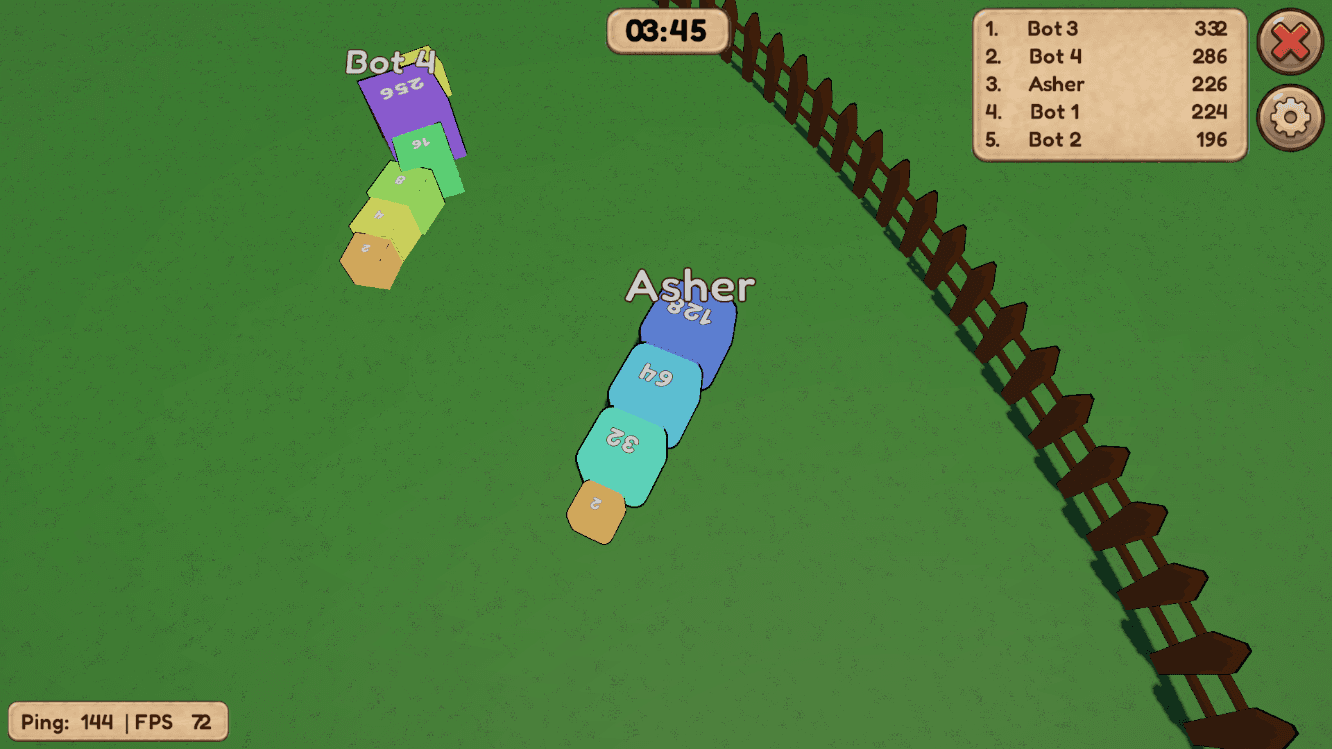
SN8KE is a Unity WebGL game — server-authoritative multiplayer snake, covered in the previous post. It worked fine on desktop and iOS Safari. On an Android Pixel, tapping the "TAP TO PLAY" overlay locked the whole page into fullscreen immediately, and the login form that should have appeared right after was untypeable — no keyboard, no way in.
The interesting part isn't the fix. It's that every plausible explanation for "the page is fullscreen" turned out to be wrong, one at a time, until the actual cause showed up in a place that had nothing to do with fullscreen at all.
The setup: a play button before the game exists
WebGL games need a user gesture before they can request audio context, fullscreen, or focus — browsers won't grant any of that on page load, only in direct response to a click. So the loading flow here is: HTML overlay with a "TAP TO PLAY" button sits on top of the canvas while Unity loads in the background, and the button only becomes clickable once createUnityInstance() resolves.
overlay.addEventListener("click", function () {
  if (!playButton.classList.contains("ready")) return;
  dismissOverlay();
});
dismissOverlay() originally called requestFullscreen() and screen.orientation.lock("landscape") — the obvious place to grab that one guaranteed user gesture and get the whole "make this feel like a real mobile game" setup done in one shot.
Guess #1: it's the overlay's fullscreen call
First report: tap the button, screen goes fullscreen, login form shows up but the keyboard never opens. The overlay code was doing exactly what it looked like — requesting fullscreen right there — so the fix seemed obvious: stop doing that.
function dismissOverlay() {
  canvas.focus();
  overlay.classList.add("hidden");
}
Moved RequestLandscape() to fire later — after login succeeds, on a dedicated "tap to continue" confirmation popup, so the login form itself would render in normal (non-fullscreen) mode where the keyboard actually works.
Rebuilt, redeployed, tested. Same bug. Tapping "TAP TO PLAY" still dropped straight into fullscreen, before the login popup ever showed. The overlay's fullscreen call was gone from the shipped build — confirmed by curl-ing the live HTML — and it was still happening.
Guess #2: the browser is doing it natively, not the API
Second theory: maybe this isn't Fullscreen API at all. Android Chrome has a native behavior where a full-viewport canvas app hides the address bar and system chrome on interaction — visually identical to a real fullscreen call, but document.fullscreenElement stays null, so there's nothing to exitFullscreen().
This one had a real test: does swiping back exit the app entirely, or does it just bring the browser chrome back on the same page? If it's the same URL and just the address bar reappearing, that's genuine Fullscreen API, not the native viewport-hiding behavior.
Answer: same page, chrome reappears. Real Fullscreen API. Guess #2 was wrong too, but the test that disproved it also confirmed something useful — whatever was calling requestFullscreen(), it was a real, standards-compliant call, and it was happening somewhere I hadn't looked yet.
Where it actually was
Grepping RequestLandscape() across the project turned up exactly two call sites, both already correctly placed — after login, on user-initiated clicks. Neither could fire on the very first tap.
The actual source was a Screen.SetResolution() call in a settings-application service, running once on app startup for every platform including WebGL:
private void ApplyScreen()
{
    var mode = _settings.WindowMode switch
    {
        WindowMode.Windowed => FullScreenMode.Windowed,
        WindowMode.Borderless => FullScreenMode.FullScreenWindow,
        _ => FullScreenMode.ExclusiveFullScreen,
    };
    Screen.SetResolution(r.width, r.height, mode, r.refreshRateRatio);
}
Default window mode: fullscreen. On WebGL, Screen.SetResolution with a fullscreen mode maps straight to the browser's Fullscreen API — and since the browser won't grant fullscreen without a user gesture, it doesn't fail silently, it queues the request and fires it on the next click anywhere on the page. That click was "TAP TO PLAY." The overlay had never been the culprit; it was just the unlucky first tap that happened to satisfy a request queued by completely unrelated startup code.
Nothing in that settings code even mentions the login flow, the overlay, or mobile at all — which is exactly why grepping for fullscreen and RequestLandscape in the obvious places didn't find it. Resolution and window-mode settings don't mean anything on WebGL — the browser controls canvas size, not the game — so the fix was to stop running that code path on that platform entirely:
// WebGL is intentionally excluded: the page controls canvas size, and
// Screen.SetResolution with a fullscreen mode triggers the browser's
// Fullscreen API — deferred until the next user gesture, which silently
// hijacked the first tap on the page.
#if UNITY_STANDALONE || UNITY_EDITOR
The second bug hiding behind the first
With the phantom fullscreen call gone, the keyboard opened. But the input field it opened was tiny, and the whole tab zoomed in hard to compensate — a different, smaller problem that had been masked by the bigger one the whole time.
Unity WebGL renders TMP_InputField as a texture on the canvas, not a real DOM element — but it creates a hidden, real <input> positioned over the canvas whenever a field gets focus, purely so mobile browsers have something legitimate to attach a keyboard to. Android Chrome auto-zooms the viewport into any focused input with font-size under 16px, and this hidden input inherits whatever tiny default size Unity gives it. The custom WebGL template also had no <meta name="viewport"> tag at all — the default Unity template injects one via script, and a fully custom template doesn't get it for free.
<meta name="viewport" content="width=device-width, height=device-height, initial-scale=1.0, maximum-scale=1.0, user-scalable=no, shrink-to-fit=yes, viewport-fit=cover">
input:not([type="button"]):not([type="submit"]),
textarea {
  font-size: 16px !important;
  color: transparent !important;
  background: transparent !important;
  border: 0 !important;
  outline: none !important;
  caret-color: transparent !important;
}
Worth noting what didn't work here: the obvious move is to shove the hidden input off-screen with left: -9999px. Don't — on a chunk of Android builds, an input the browser considers effectively invisible doesn't get a keyboard focus event at all. Keeping it on-screen but fully transparent is the version that actually holds up: the browser treats it as a real, visible field, and Unity's own canvas rendering draws the text you actually see.
The full flow after both fixes: tap to play, login form gets a working keyboard at normal zoom, fullscreen and landscape only kick in after login — on a real user gesture, not a phantom one.
What this was really about
Every wrong guess here was locally reasonable — the overlay did call requestFullscreen() before the fix, native viewport-hiding is a real thing on Android, and both explanations matched the symptom well enough to try first. What made them wrong wasn't sloppy reasoning, it was that the actual cause lived in a file with no relationship to login, mobile, or fullscreen in its name or its stated purpose — a desktop-oriented settings applier that happened to run unconditionally on every platform, including one where its default value silently queued a browser API call for later.
The fix that worked came from testing something falsifiable — does the URL change on swipe-back, or just the chrome — rather than reading the code harder. Confirming what kind of fullscreen it was ruled out an entire category of causes and left exactly one place capable of firing a real Fullscreen API request outside the two known, already-correct call sites.